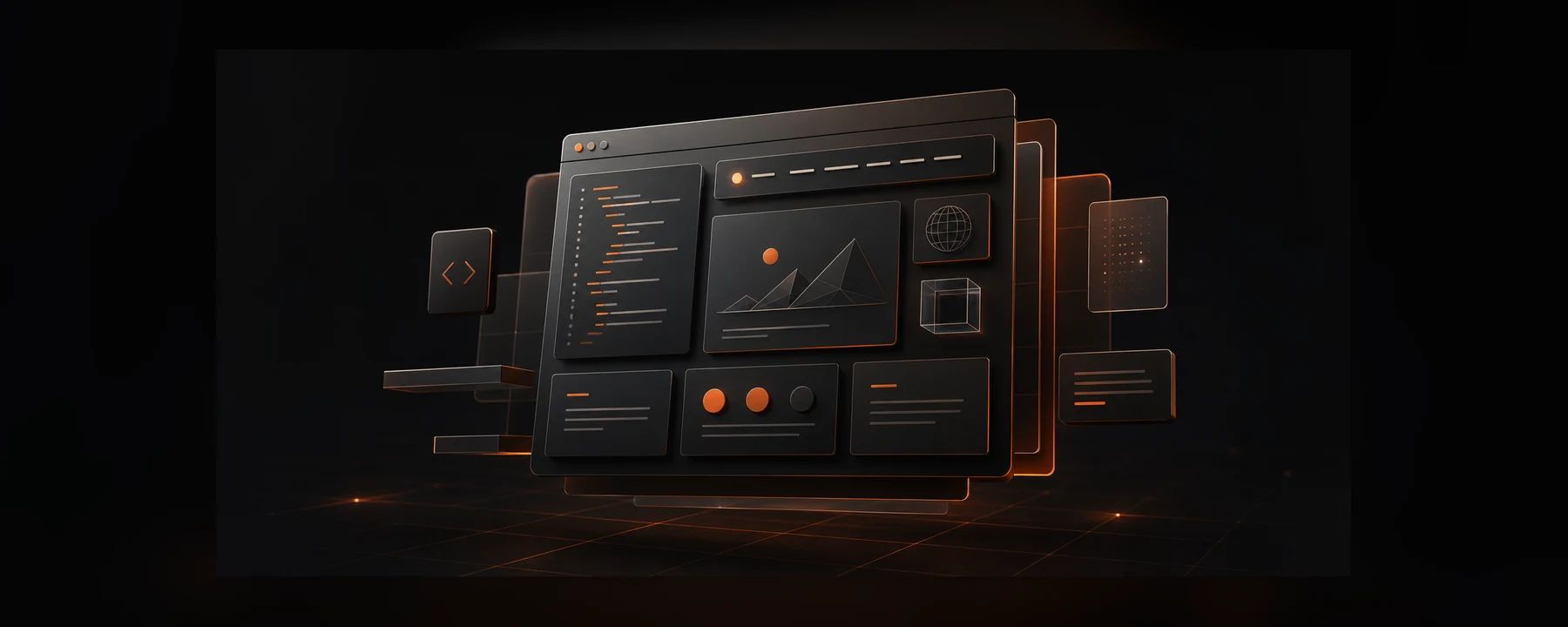
AI automation / intelligent operations
Build workflows that think, route, and report before your team asks.
We connect AI, automation, and your existing tools into practical systems that remove repeated work while keeping humans in control.
AI workflows Tool integrations Human approval
Automation ControlLive
Workflow health23 automations running
99.2%
AI Router
CRM + Team
New inquiry enrichedBudget signal detected
Support ticket summarizedOwner assigned
Weekly report generatedReady for review
Next actionSend qualified brief
Sync completeCRM updated
Manual work reduced
Typical timeline
Tool connections
Automation should make the operation calmer, faster, and easier to inspect.
What we build into the system
Automation only feels premium when the logic is clear.
The goal is not to add more tools. The goal is to make the right work happen with fewer repeated decisions, fewer loose handoffs, and better visibility.
Workflow audit
We find repeated work, slow handoffs, tool gaps, and decisions that can be structured.
AI logic design
Prompts, rules, fallback paths, and review checkpoints are designed around practical business use.
Tool connections
CRMs, forms, spreadsheets, email, project tools, and APIs are connected into one reliable flow.
Human control
Approvals, logs, permissions, and exception handling keep automation useful instead of risky.
Automation paths
Different workflows need different levels of intelligence.
Some systems should act instantly. Some should prepare context and wait for approval. We design that behavior before anything gets connected.
Lead intake
Qualify new opportunities before they reach your team.
Forms, email, ads, and CRM data are scored, enriched, routed, and summarized into the right next action.
18s responseCRM readyAuto-routing
AI logicControl layer
Form
AI score
CRM
Slack
Email
Review
Before and after operations
Replace invisible manual effort with visible automated movement.
The premium feeling is not only visual. It comes from the business behaving with more speed, more consistency, and less confusion.
ManualAutomated
Manual lead sorting
Instant qualification and routingRepeated content briefs
AI-assisted brief generationDisconnected reporting
Automated dashboard updatesSlow customer context
Ticket summaries before replyPrompt and decision layer
AI is useful when instructions, rules, and review moments are designed.
We treat prompts like product logic: clear inputs, expected outputs, confidence boundaries, and places where a person should decide.
Prompt 01
Classify intent
Read the inquiry and tag urgency, service fit, budget signal, and missing context.
Prompt 02
Summarize context
Create a short internal brief from the client notes, CRM history, and recent messages.
Prompt 03
Draft next step
Suggest the next action, owner, deadline, and client-facing response for approval.
Connected stack
We connect the system around your workflow, not around tool noise.
OpenAI APIMake / ZapierAirtableCRMCustom APIsAnalyticsEmailDatabase
How it becomes real
Launch the first useful automation, then expand from evidence.
We keep the first build focused so your team can trust the logic, see the outcome, and decide what deserves automation next.
Inspect the workflow
We map every input, owner, delay, decision, exception, and tool involved in the current process.
Design the control layer
We define what AI can decide, what humans approve, what gets logged, and when fallbacks are triggered.
Prototype the automations
Core flows are connected quickly so the team can test real examples before the full rollout.
Deploy and train
We launch the workflow with documentation, monitoring points, and practical training for the team.
AI automation projects
Real workflow systems built around speed, control, and cleaner handoffs.
Each project shows a complete automation path: what triggers the flow, how information moves, where humans stay in control, and how the team sees the outcome.
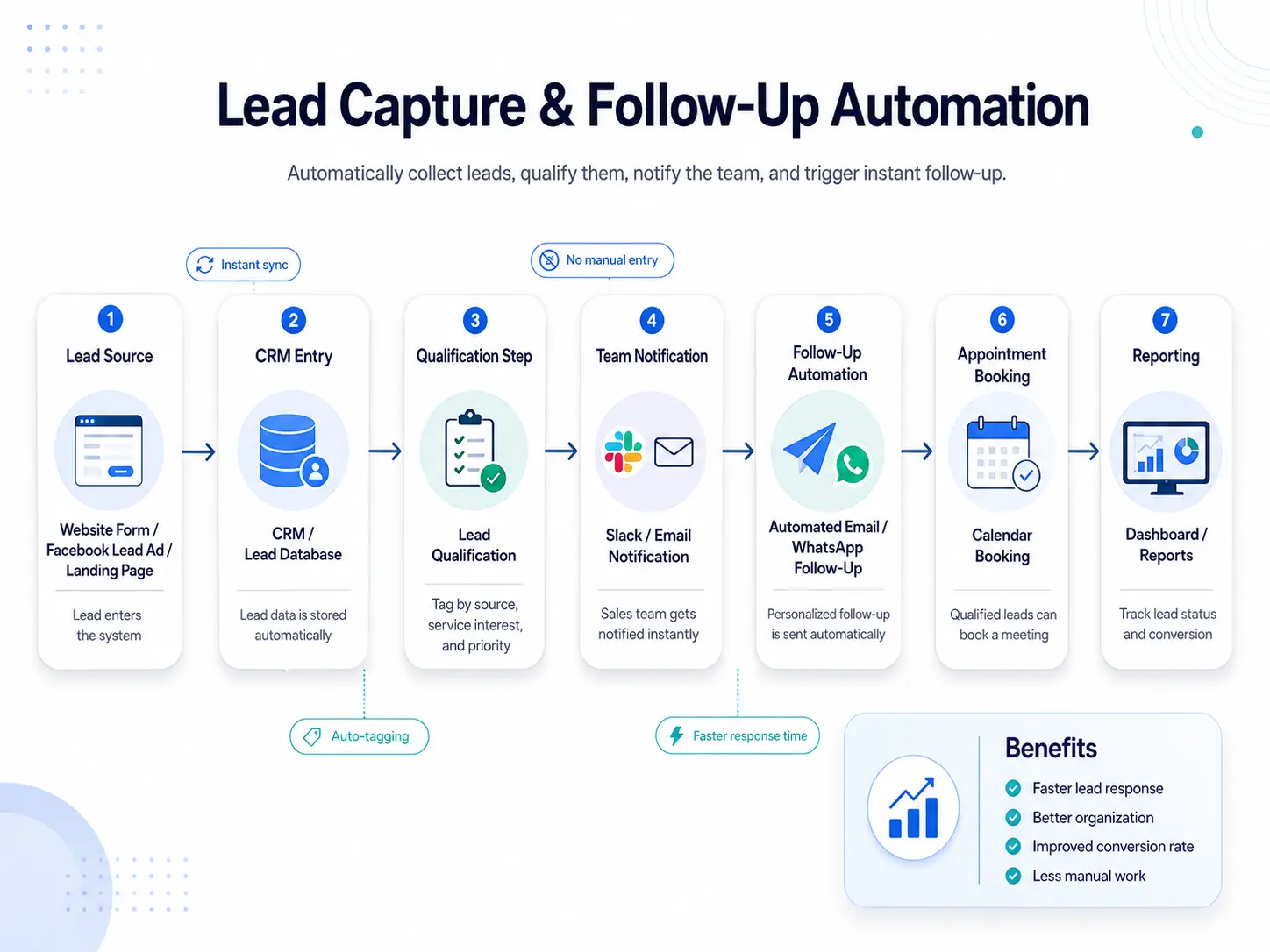 7 Automation steps
AI Automation / 2026Lead Operations Workflow
Lead Capture & Follow-Up Automation
An automation workflow that collects new leads, stores them in the CRM, qualifies intent, alerts the team, and triggers follow-up without manual lead sorting.
- CRMLead database
- FastFollow-up path
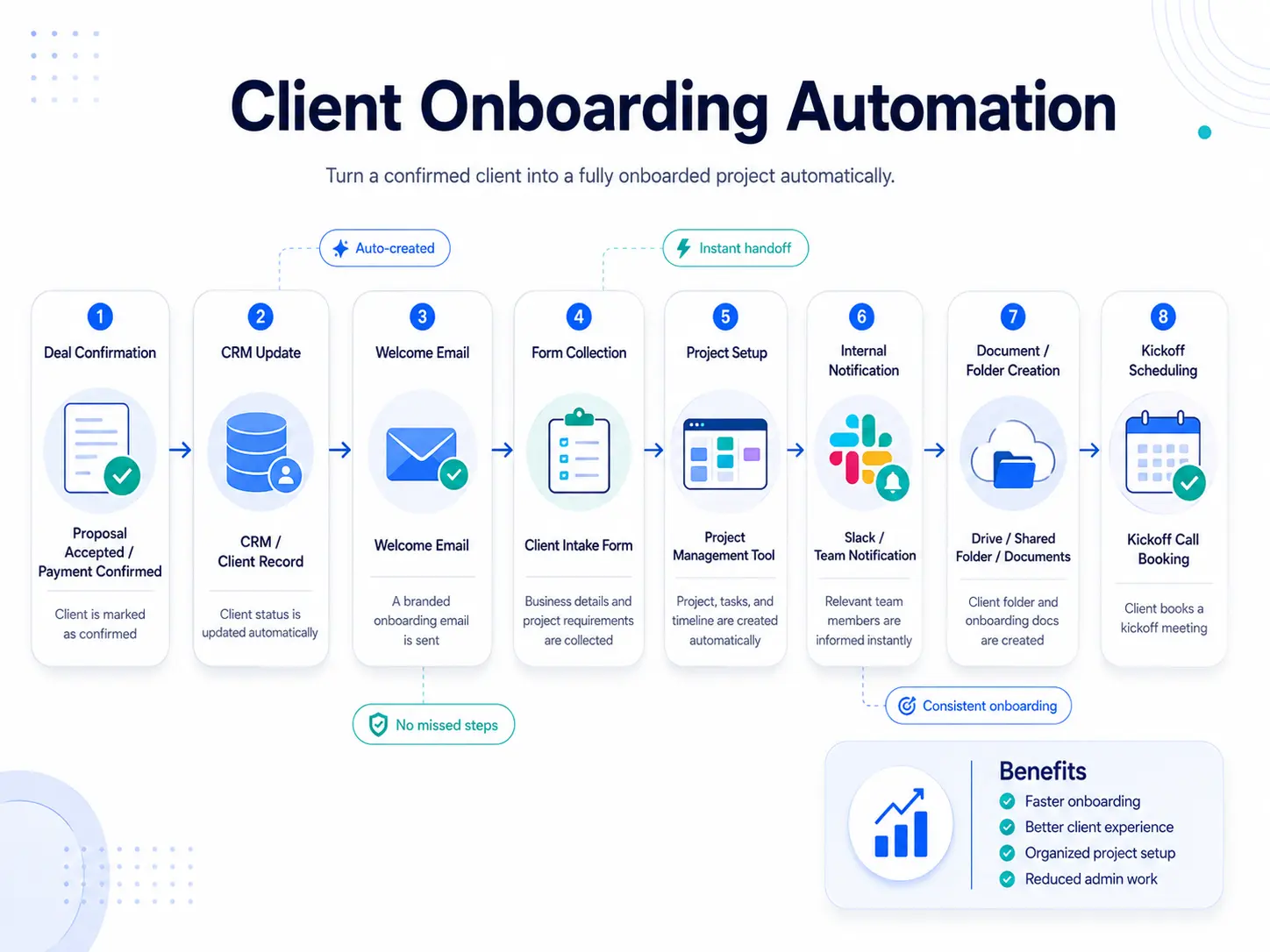 8 Onboarding steps
AI Automation / 2026Client Delivery Workflow
Client Onboarding Automation
A client onboarding system that turns a confirmed client into an organized project with intake details, shared folders, team alerts, and kickoff scheduling.
- ZeroMissed handoffs
- TeamReady setup
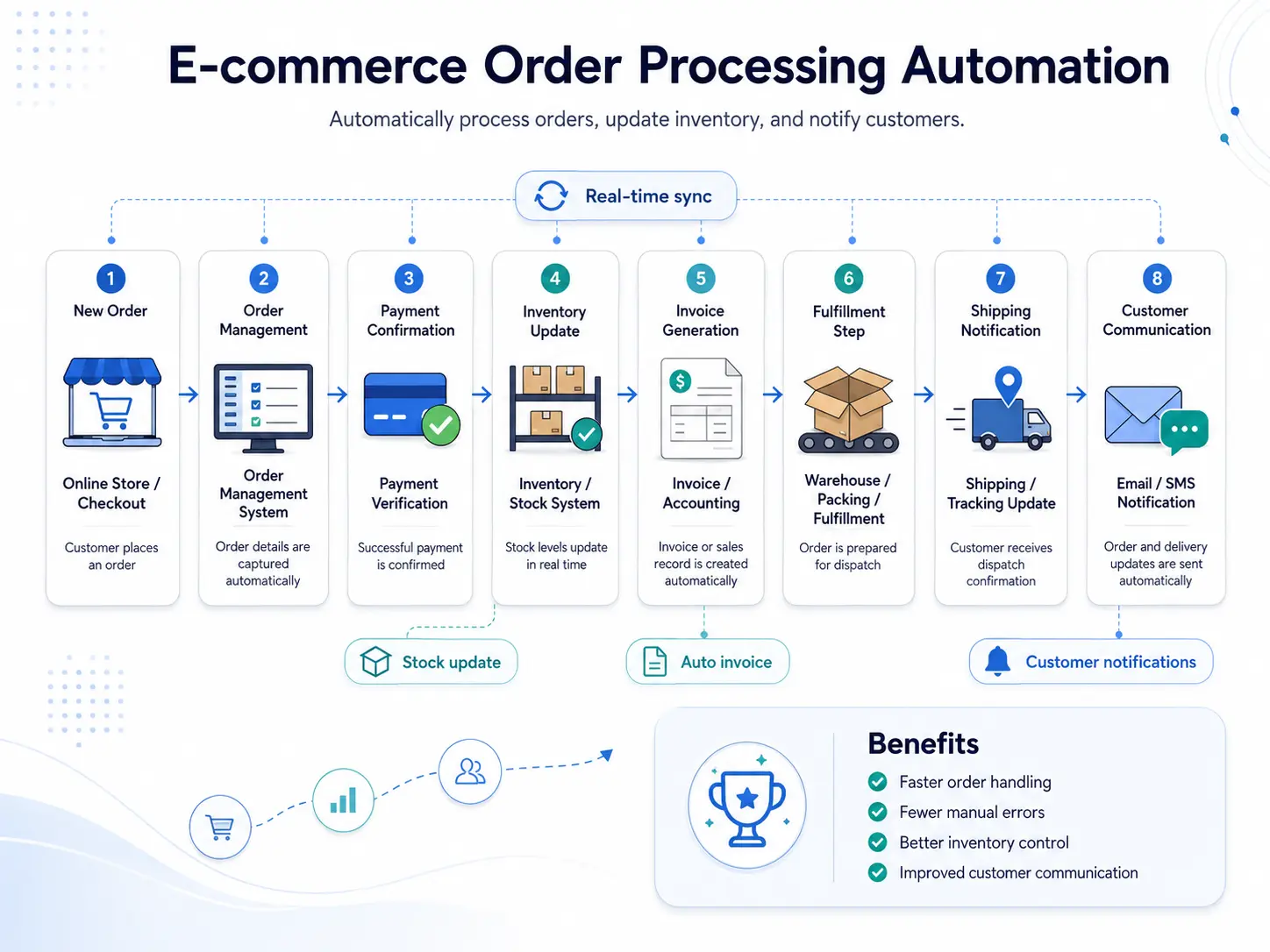 8 Order steps
AI Automation / 2026E-commerce Operations Workflow
E-commerce Order Processing Automation
An e-commerce operations workflow that moves orders from checkout to inventory, invoice, fulfillment, shipping, and customer updates with fewer repeated admin steps.
- LiveInventory sync
- AutoCustomer updates
Automation questions
Start with the work that is repeated, slow, and easy to define.
The best automation projects begin with clear input, clear output, and a team that knows where judgment still matters.
Usually no. The best first step is often connecting the tools you already use and removing the repetitive work between them.
Yes. We can keep humans in the loop for sensitive replies, client decisions, budget changes, publishing, and any workflow that needs judgment.
Lead qualification, CRM updates, ticket summaries, content briefs, reporting, onboarding tasks, research, reminders, and internal handoffs are strong starting points.
Yes. We document the workflow, connected tools, prompt behavior, fallback paths, and handoff notes so your team can understand the system.
Yes. We can begin with lightweight automations and later turn the highest-value workflows into a custom internal tool or dashboard.
What should your team stop doing manually?
Let's turn one repeated workflow into a working AI system.
We will map the current process, design the control layer, connect the right tools, and hand your team a system they can understand.
Typical first build: 3-8 weeksPlan the Automation